

December 2007 — Volume 11, Number 3
Rosetta Stone
| Title: | Rosetta Stone | 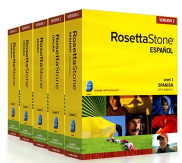 |
| Level: | Publisher Levels 1, 2, & 3 available in English; these levels correspond to beginning non-credit ESL classes | |
| Publisher: | Fairfield Language Technologies 135 West Market Street Harrisonburg, VA 22801 1-800-788-0822 or 540-432-6166 | |
| Product Type: | New Version 3 available in individual CD-ROMs, network version, or web-based version *Note: Review is based upon Network Version 2.1.4.2 | |
| Platform: | Windows | |
| Minimum System Requirements: | Requirements for Rosetta Stone User Workstations
Additional Requirements for Online Products
| |
| Price: | $209 individual CD-ROM, price per license can be reduced for network version depending upon the quantity purchased, $110 for 3 months online subscription | |
General Overview
Rosetta Stone is interactive software designed to quickly increase a learner’s vocabulary and general language comprehension without the need for translation. Everything is done “by directly associating words—written and spoken—with [pictures of] objects, actions or ideas that convey meaning” (Rosetta Stone User’s Guide, 2003, p. 2). Every lesson is taught in the target language (29 languages currently available besides English).
One level usually has eight units and eleven lessons. Each lesson has 40 new vocabulary words. Four words are taught at a time. So, in Figure 1, the learner would need to identify meat, then bread, then milk, and then fruit in random order. They can have as many guesses as they want to get an item correct, so it is possible to get the correct answer through the process of elimination. Eventually, the four vocabulary words will be added to other vocabulary words just learned (e.g., “The boy is eating bread”) so that there is immediate recall and reuse.

Figure 1. Rosetta Stone teaches vocabulary in groups of four.
According to the Rosetta Stone User’s Guide, besides learning the target language, Rosetta Stone is designed to teach metacognitive skills, such as “pattern recognition, correlation, deduction, and induction” (2003, p. 2). These skills help learners discover the meaning of unfamiliar words. As sentences become longer and longer, students need to use metacognitive skills to help them deduce the meaning. In some cases, they also need to learn to be comfortable with not understanding 100 percent of the sentence, which definitely relates to the experience of being immersed in a language. Understanding the main gist is often most important in real life, and Rosetta Stone recreates those types of situations for learners.
Detailed Description
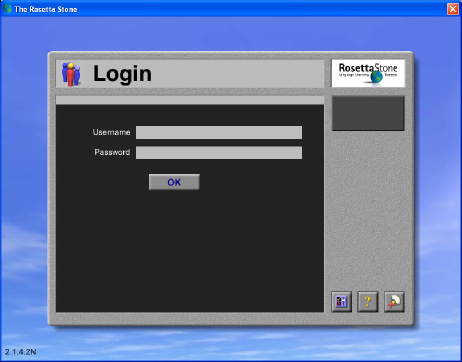
Rosetta Stone works best as an independent study tool. In the network version, it is possible for instructors to customize a learning path that encourages students to follow a particular order of units and lessons that correlate to their class. In that situation, learners must get 100 percent of the vocabulary from one lesson correct before they can proceed to the next lesson. Then, they must pass the unit test before proceeding to the next unit. Instructors can log on as teachers and view the results and progress of their students.
 |
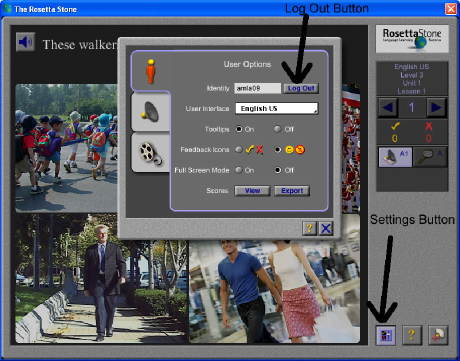 |
| Figure 2. Students have to log into the network version. | Figure 3. Use “Settings” button to “Log Out.” |
Learners log on to the network version. If they do not want to follow the forced learning path, they must log out. To do so, they have to click on the “Settings” button. Then, under “User Options,” they click on “Log Out” (See Figure 3).
This takes them to the menu where they can maneuver freely between levels, units, and lessons. Lessons alternate between being grammatical and being topical. The program levels do not necessarily correspond with target language proficiency level. Often, topics and grammar in Level 2 are no more difficult than in Level 1. However, Level 3 is more difficult and interesting than Levels 1 and 2. Not every language has a Level 3, but English does.
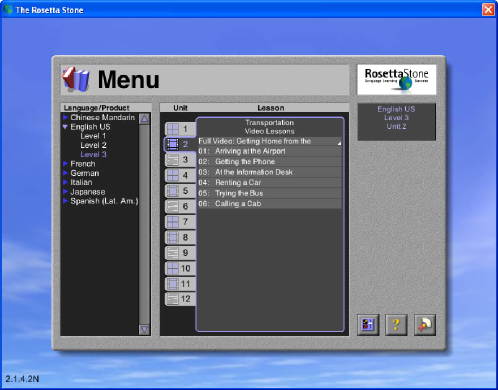
Figure 4. The Menu offers freedom to roam.
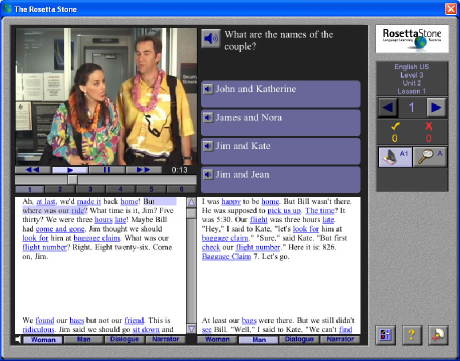
One of the reasons Level 3 is more interesting is because it includes videos along with narrative or dialogue and related questions (See Figures 5 and 6). One unique feature, shown in the bottom left corner of Figures 5 and 6, is that the learner can choose to hear the video as a narrative from the woman’s point of view, man’s point of view, or the narrator’s perspective. Also, students can choose to hear it as a dialogue.
 |
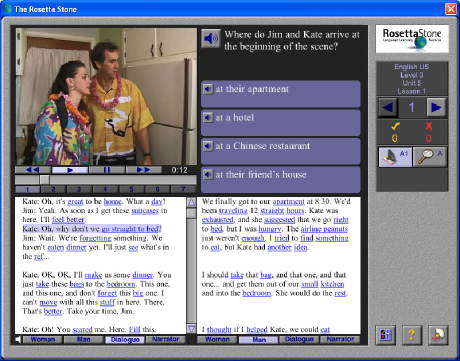 |
| Figure 5. Videos are only available in Level 3. | Figure 6. Users can listen as a dialogue or narrative. |
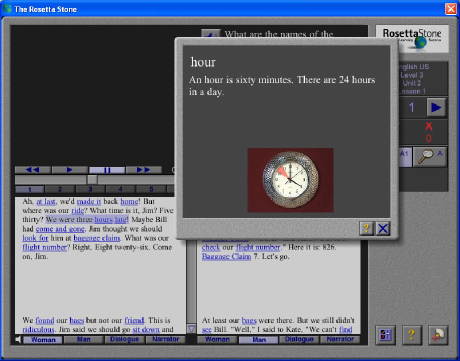
Figure 7. Students can click on underlined words for explanations.
Skills
Through the Menu, learners can choose which skill they would like to focus on. As can be seen in Figure 8, they can choose listening & reading, listening only, reading only, speaking only, or writing only. Most students will probably benefit from going through a lesson working on listening & speaking first and then repeat the lesson focusing on listening only.
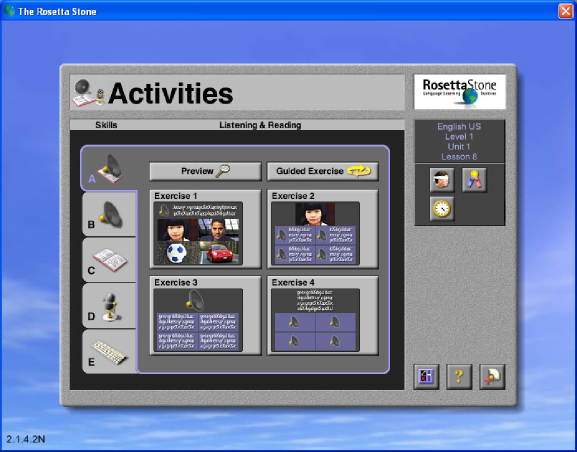
Figure 8. Learners choose the skill they want to work on.
Also, on the right side of Figure 8, there are icons that allow users to take tests, apply a time limit to how long they have to answer, or experience a delay between the prompt and the answer.
Additional Materials
Rosetta Stone also offers a large variety of support materials to assist the learning process. These materials include a student’s study guide, teacher’s guide, workbook, curriculum text (which is the written script showing what words and sentences are used in which lessons), and quizzes and tests.
There is also an administrative side to the network software where classes are created, learning paths are either crafted or chosen from what is already available, user log ons are created, and users are added to the appropriate classes. Teachers log on to this administrative section in order to keep track of their students.
Summary and Evaluation
The incorporation of three recommendations would improve the network version of Rosetta Stone. First, it would be helpful to students in language lab settings to be able to create their own user accounts instead of needing to wait for an administrator to do it for them. Also, when users log on, they should be given a choice between following a learning path (unless they are assigned to a class with a specific teacher) and going directly to the menu. It makes little sense to have to log on and then, through the settings button, “log out” to get to the menu. Furthermore, it would be useful to the instructor if the information from their students’ work could be exported to them in an html file.
The strength of Rosetta Stone is that it helps learners acquire large chunks of vocabulary quickly. The Rosetta Stone User’s Guide (2003) says that learners also develop their grammar (syntax), but this does not seem to be one of the program’s strengths. The reason is that sometimes vocabulary words are added together in ways that are not natural even though they might be grammatically correct. However, learners and instructors will be happy with the program if they think of Rosetta Stone as an independent study tool that can dramatically speed up the vocabulary learning process, which will, in turn, increase learners’ overall comprehension.
Not every learner will enjoy this software, so users need to be aware of their own learning styles and preferences. If repetition bores them, they should consider choosing different software. If they do not like ambiguity and not always understanding 100 percent of a sentence, they should consider a different program.
With each new version, Rosetta Stone modernizes their graphics, but much of their content remains the same. This is not the flashiest software available or the easiest to use in a network setting, but it may very well be the best software for quickly expanding vocabulary and increasing comprehension.
References
Fairfield Language Technologies. (2003). Rosetta Stone: User’s guide levels 1, 2, & 3. Retrieved December 11, 2007, from http://www.rosettastone.com/global/support/downloads
About the Reviewer
Peggy Marcy <pmarcy mtsac.edu> supervises the Language Learning Center at Mt. San Antonio College in Walnut, California. She also teaches Computer-Assisted Language Learning in the MA TESOL program at California State University, San Bernardino. In addition, she is co-author of the ESL listening and speaking textbooks, Step Up 1 & Step Up 2.
|
© Copyright rests with authors. Please cite TESL-EJ appropriately. Editor’s Note: The HTML version contains no page numbers. Please use the PDF version of this article for citations. |